
You can start learning note names, rhythm and music reading with a computer keyboard. It gives you a way to try a piano lesson before you have an instrument. It does not reproduce the shape, movement or feel of piano keys, so use it as a first step toward playing a real keyboard.
Here is a small practice session you can try in Ultimidi: Piano Journey. You need a computer with sound and a browser. You can start without an account or a MIDI keyboard.
What computer keys can help you practise
- Finding a note: connect the name on a piano key with the sound you hear.
- Reading a simple pattern: notice when the music repeats a note or moves to another one.
- Following a pulse: listen, wait for the cue and try to start each note at the right time.
- Repeating with a purpose: pick one thing to improve on the next attempt, such as a late start.
These are useful musical tasks. Your typing hand position is still different from piano fingering, and a score in a game does not measure your complete piano technique.
Try your first lesson in five minutes
Use five minutes as a small practice window, not a deadline to finish. Taking time to listen is part of the exercise.
- Choose computer keys. Open Ultimidi and select Start on the next-lesson card. Follow any setup prompts, then use the computer-key labels on the piano. You can play without an account; progress is saved on this device.
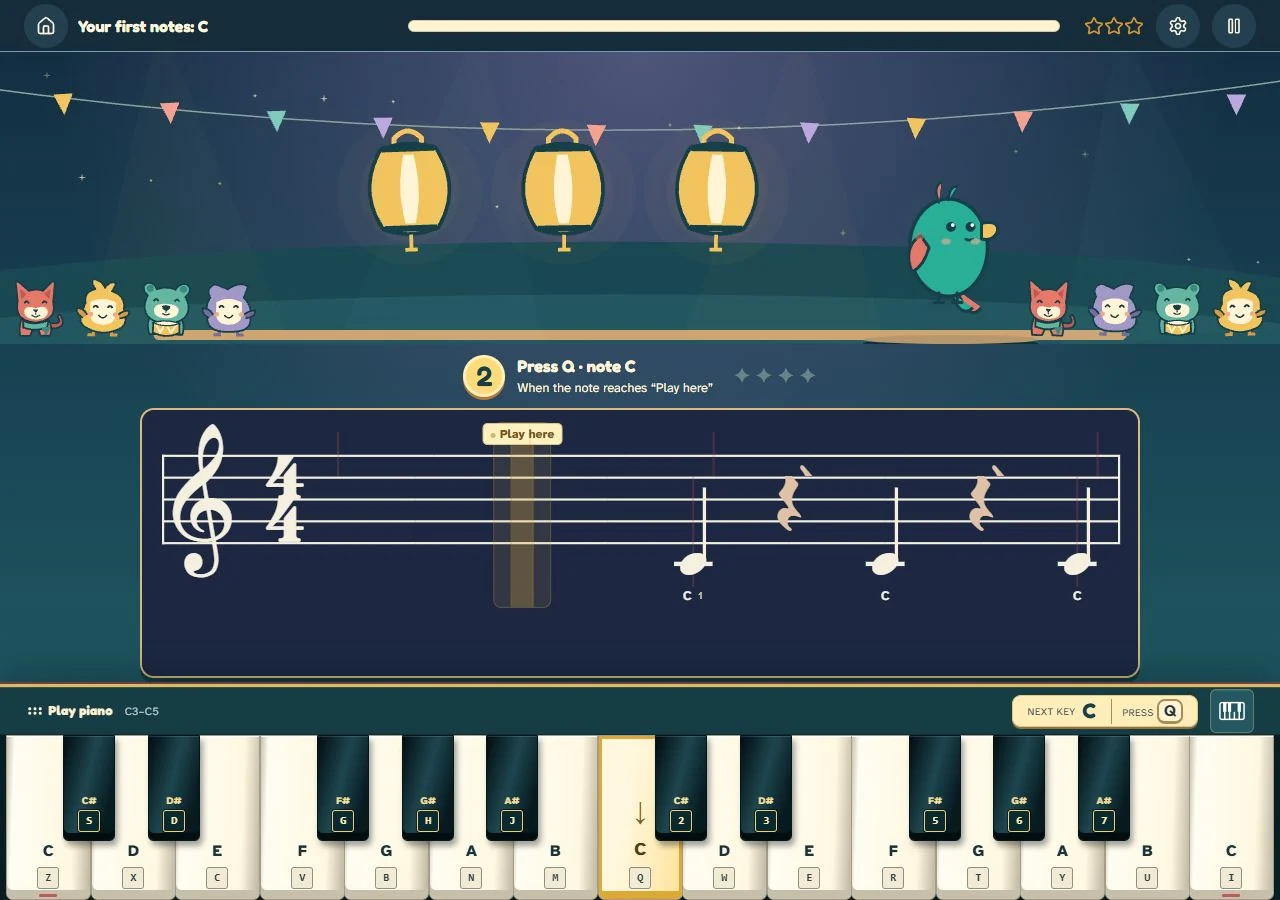
- Find the first note. The current first lesson, Your first notes: C, starts with C. Watch the count-in and the highlighted piano key. Press when the note reaches the bright Play here line.
- Use the mapping shown on the screen. The musical note C and the letter C on a typing keyboard are different labels. The current first lesson shows Q for its C note. Use the computer-key label shown on the on-screen piano for that note. You can also click the piano key.
- Play when the lesson asks you to. Aim for one clear start and release. If your timing is off, listen again and repeat the same small idea.
- End with one observation. Open a note in the result timeline to see what you played and its timing. Can you identify the note you played? Did you wait for the cue? Choose one of those tasks for your next short session.
What a computer keyboard cannot teach
Typing keys cannot give you the spacing or resistance of a piano keyboard. They also cannot reproduce the way a touch-sensitive instrument responds when you play a note gently or firmly. You need time at an instrument to work on fingering, hand movement, touch and pedal control.
Yamaha’s guide to weighted keys explains how key resistance relates to the feel and control of an acoustic piano. That is a physical part of playing; a browser exercise cannot replace it.
Aim to learn a musical idea at your computer, then explore it on a piano when you have access to one. Do not try to copy your typing-key finger positions onto piano keys.
Move the same idea to a MIDI keyboard
When you have an instrument with MIDI support, you can use its piano keys to control the game. First find the same note on the instrument. Then repeat the short pattern slowly and notice how the keys feel under your fingers.
If the connection is new to you, read what MIDI sends and how to connect a keyboard. For a longer session at the instrument, follow your first MIDI piano session.
You can begin with one note today. Keep the goal small: hear it, find it and play it on purpose.