
Open Ultimidi, choose a piano buddy and play your first notes. You do not need an account or a physical keyboard to start.
1. Choose how to play
Use the screen piano on a phone or tablet. On a computer, follow the key labels on the game piano. If you have a piano or MIDI keyboard, choose Connect a piano keyboard on the welcome screen, or follow the MIDI setup guide.
2. Start your first lesson
Choose Start playing, choose a piano buddy, then enter a player name. Your first lesson starts with C. Tap or press the matching key when the note reaches Play here. Release it before the next tap. Later steps introduce D and E, then notes you hold for longer.
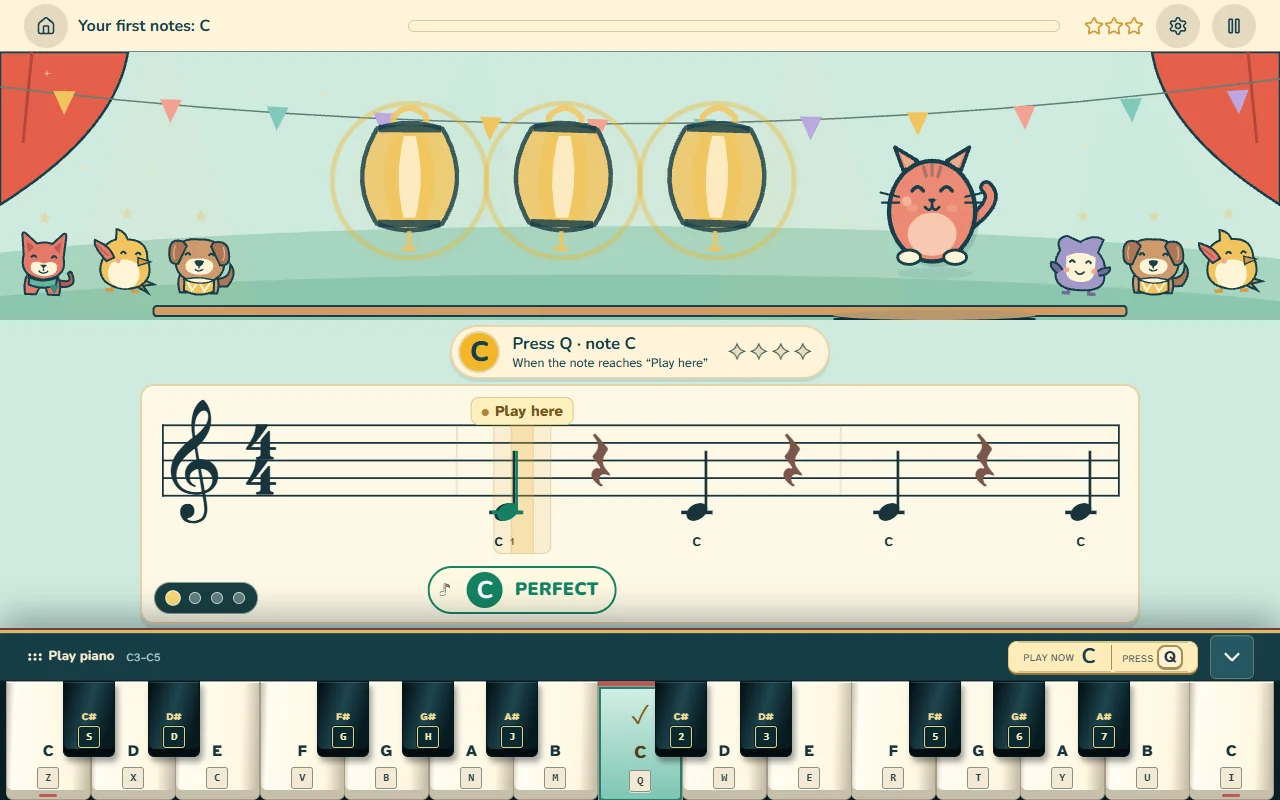
3. Listen, then play
When a lesson demonstrates a phrase, listen first. Then follow the notes and the beat. For a long note, keep the key down until its hold bar finishes. Pause when you need a break.
4. Collect your reward and see what comes next
The reward shows your stars and earned items. The early next-lesson preview then shows the new notes and the next task. Choose Start next lesson to begin, or All lessons to browse.
5. Return when you want
Your progress saves in this browser on this device. On Home, Continue opens your next lesson. Books & lessons opens the book library. Each book keeps its own progress.
An account is optional. Use Sign in to existing account when you already have one. On a shared device, use separate player profiles. A child who needs account help should ask a parent or guardian.